BookBeyond
From a document to your numbers
Hand over a document, confirm what BookBeyond read, answer anything it can't settle, and see your numbers move.
Read: hand over a document
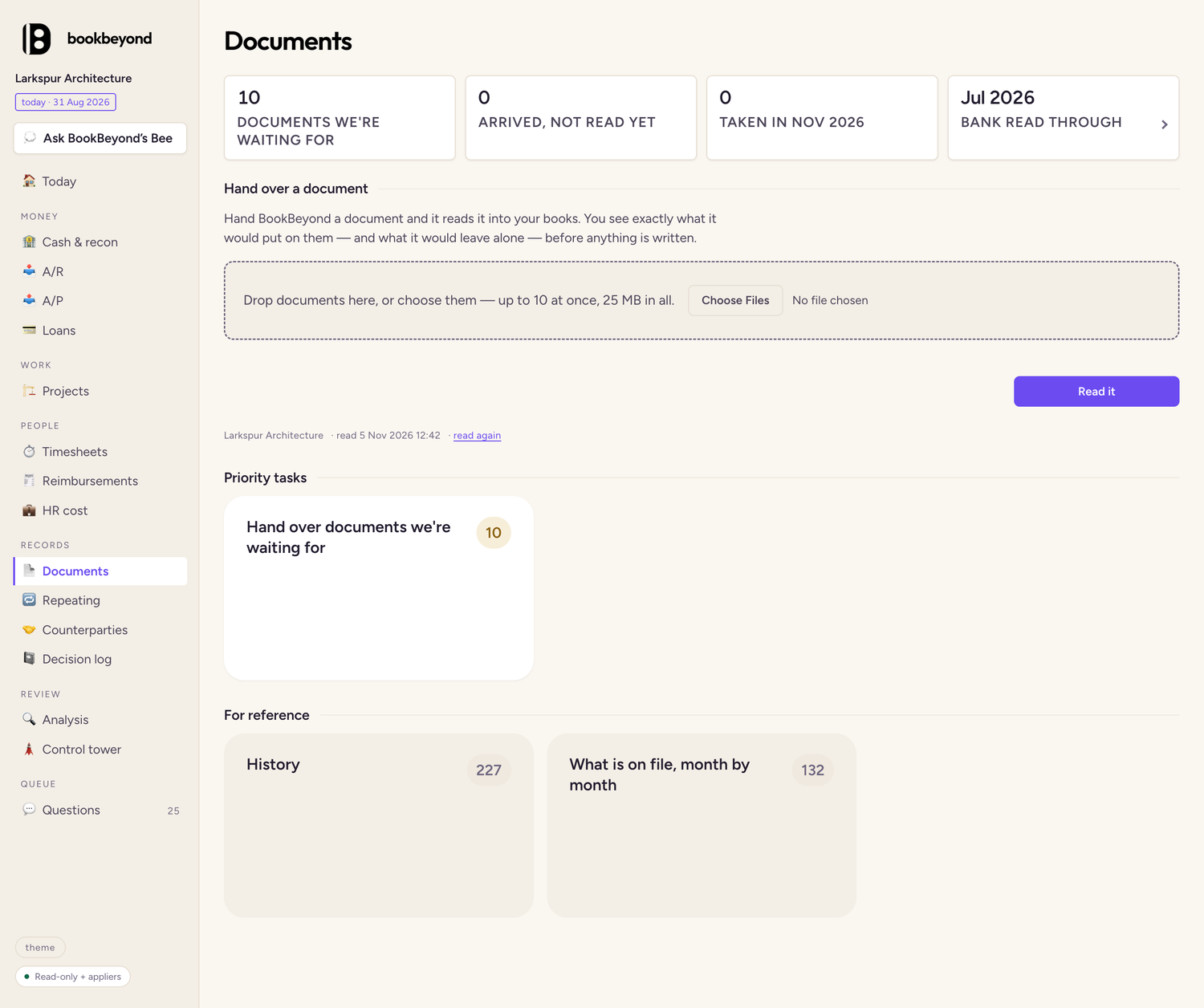
Open Documents, drop your files on the dashed box or use Choose Files, then press Read it.
Check and confirm
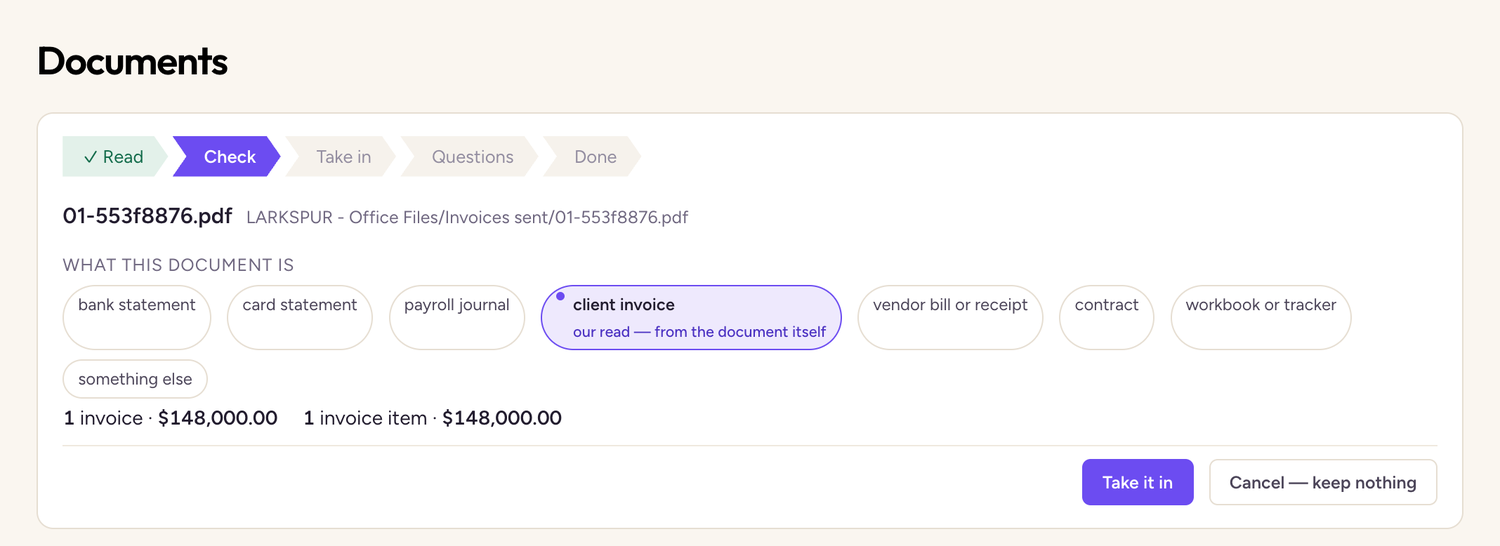
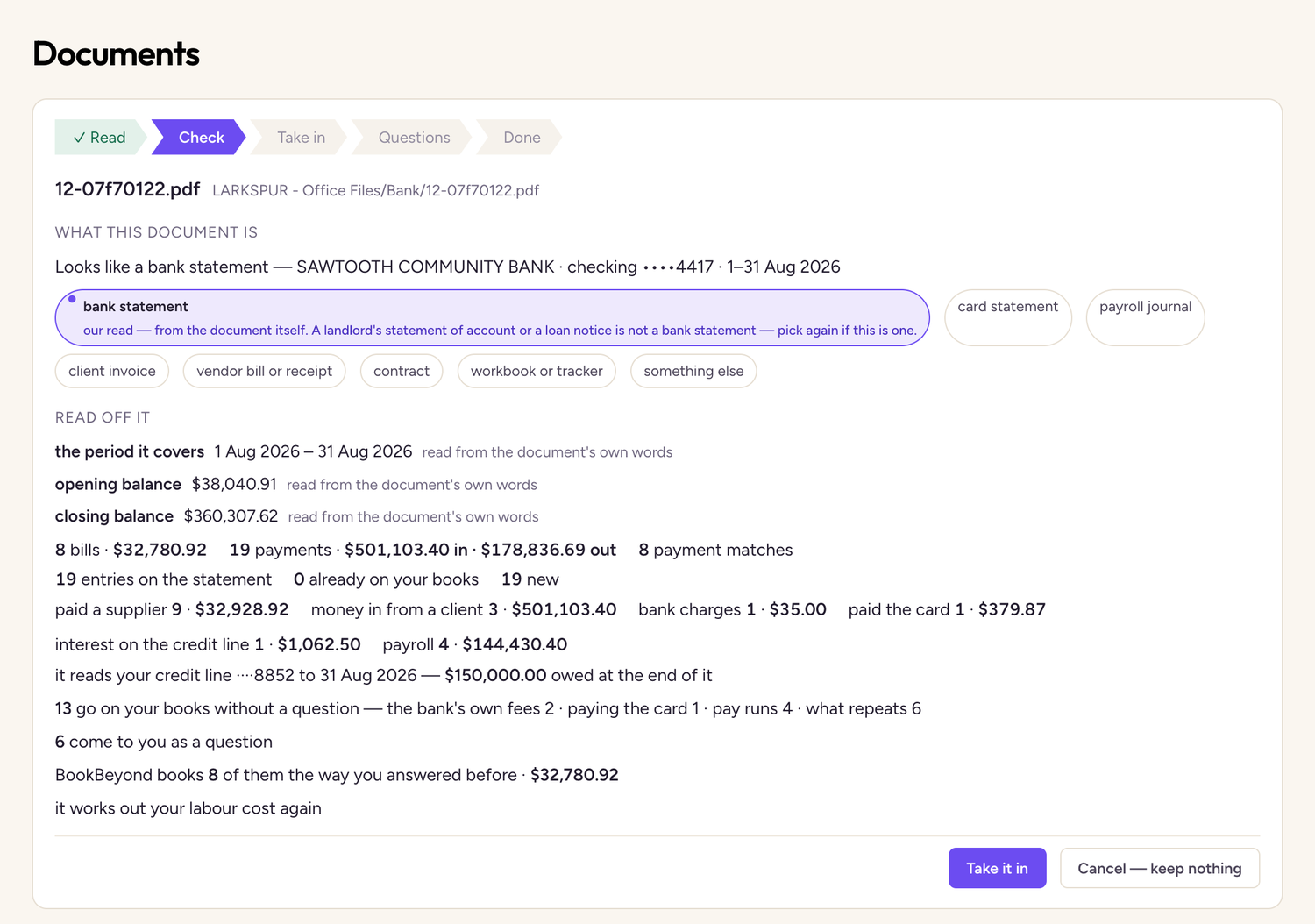
BookBeyond picks the document's kind first. If it picked wrong, choose another. Then check the rest of what it read, such as the amounts, and press Take it in.
Taken in: it goes on your books
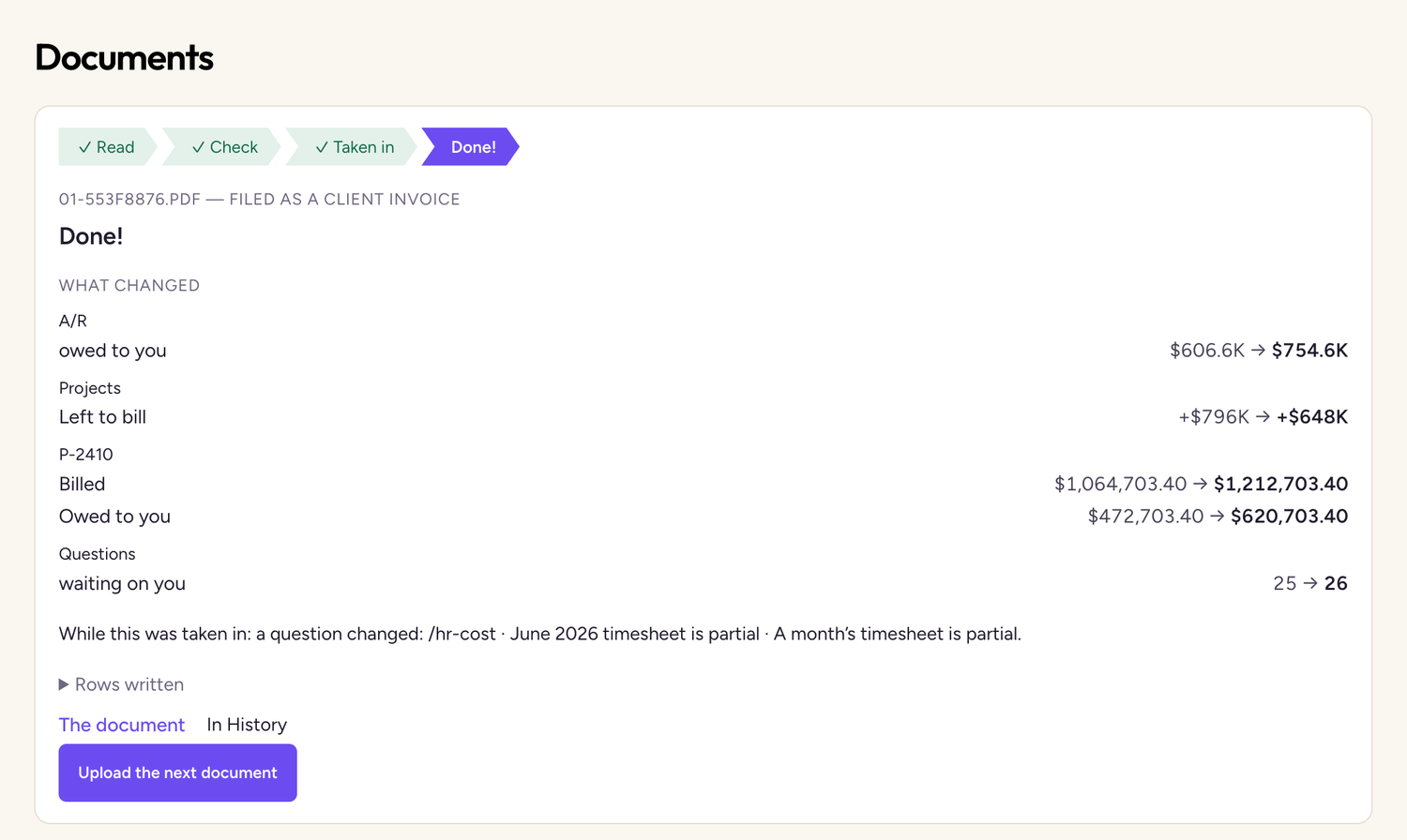
When it's taken in, What changed shows each figure the document moved, old figure then new.
Questions: Bee walks you through
If anything is unclear, Bee takes you through the questions one at a time, with as many answers selected for you as it can.
- Apply answer and next records your answer.
- Later skips the card for now.
- Set aside for later keeps it for another day.
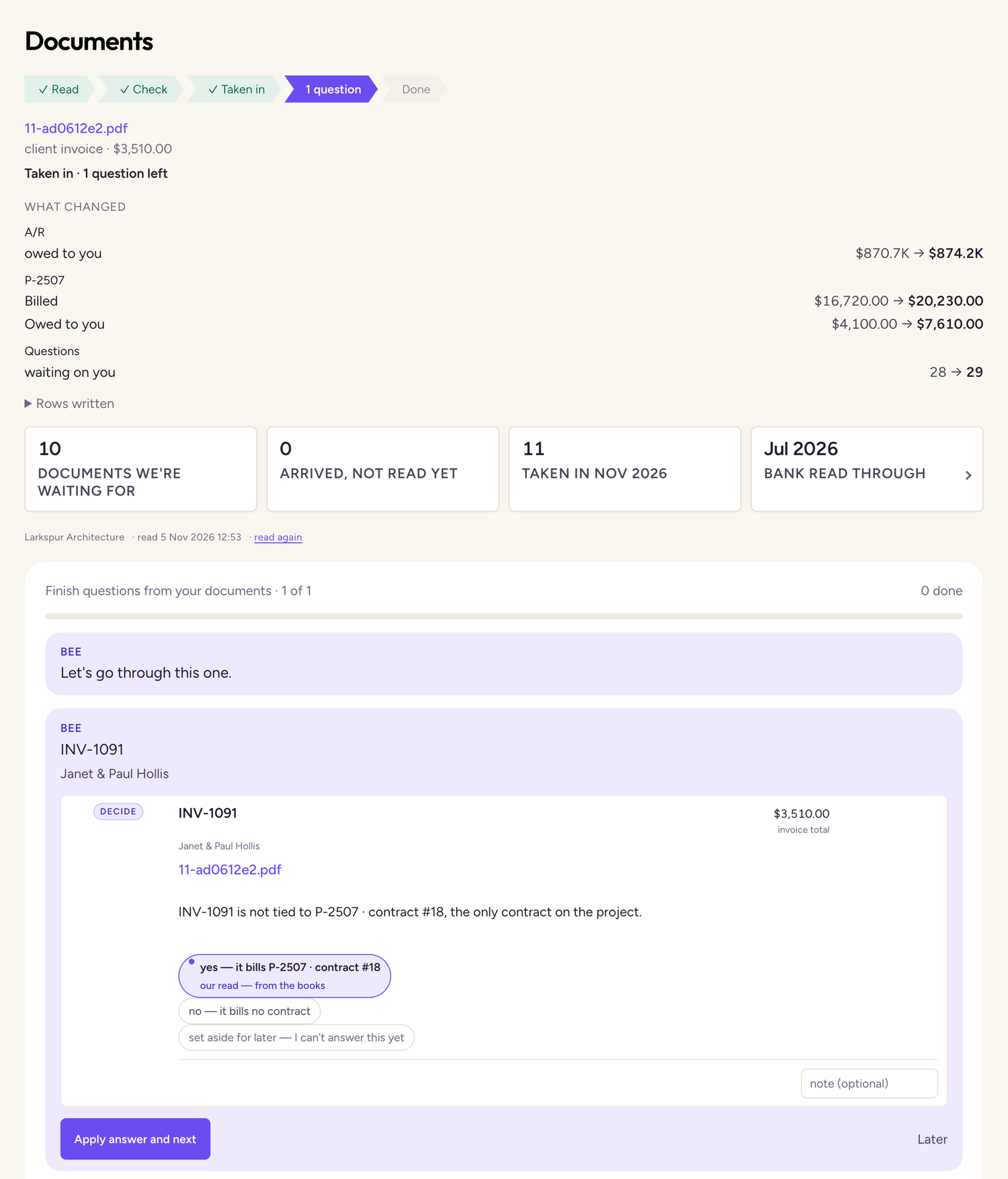
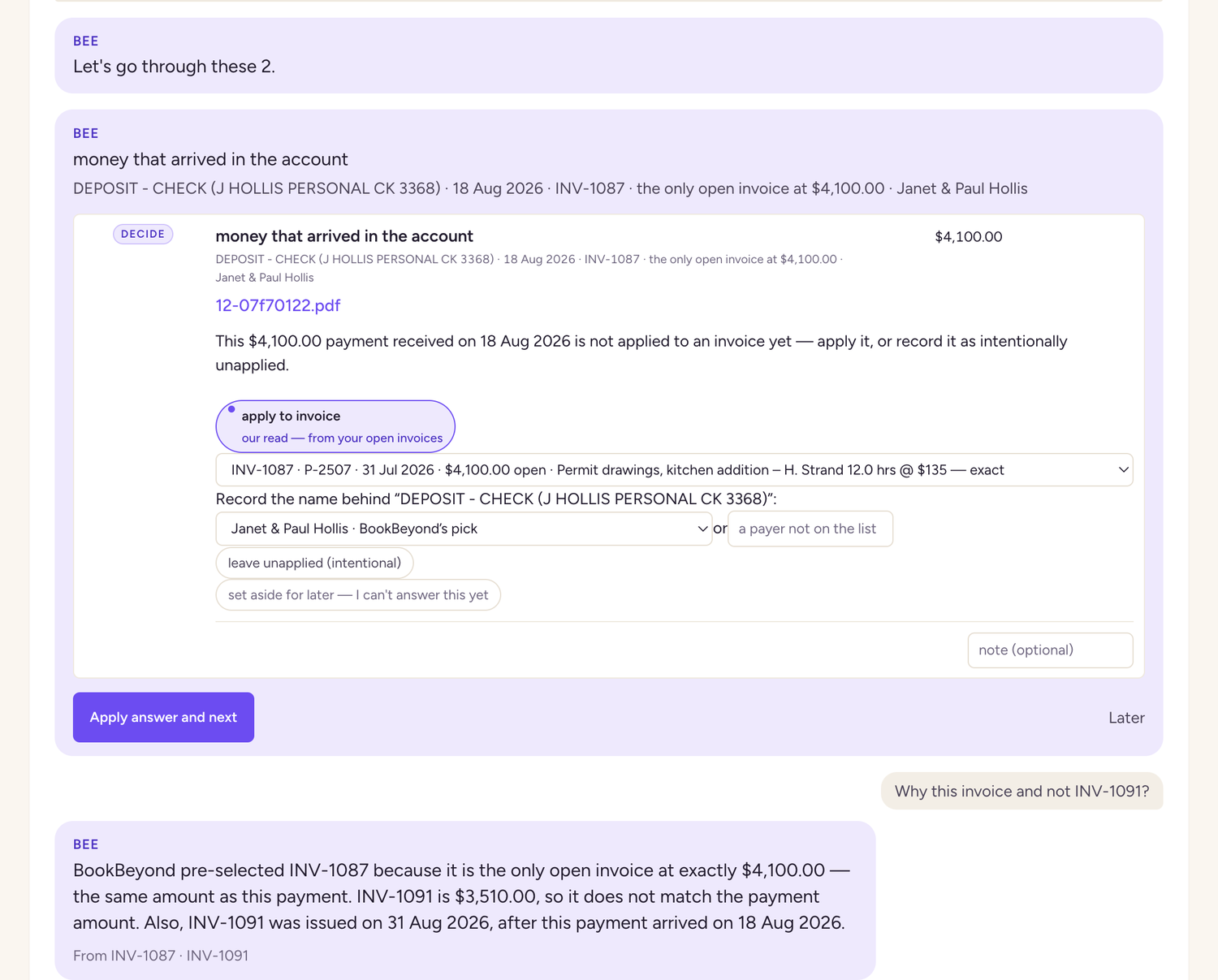
Ask Bee when you aren't sure
Type in the Ask Bee box under the card. Asking changes nothing. Only your button press does.
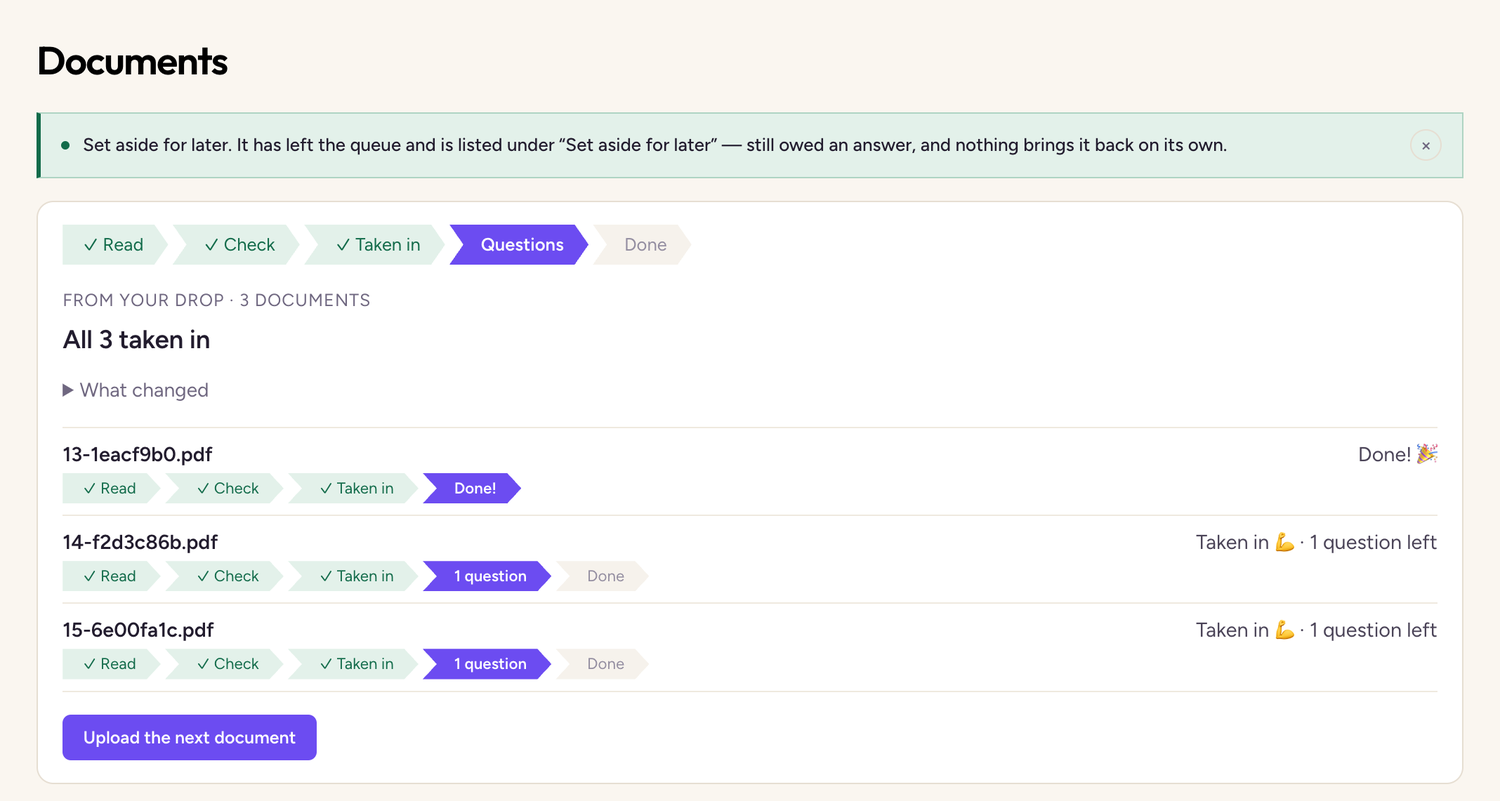
Handing over several at once
Drop several documents together and you check them one at a time. The list stays on the page, and you can come back to the questions later.
Done: see how your numbers changed
What changed shows the figures the document moved, grouped by page.
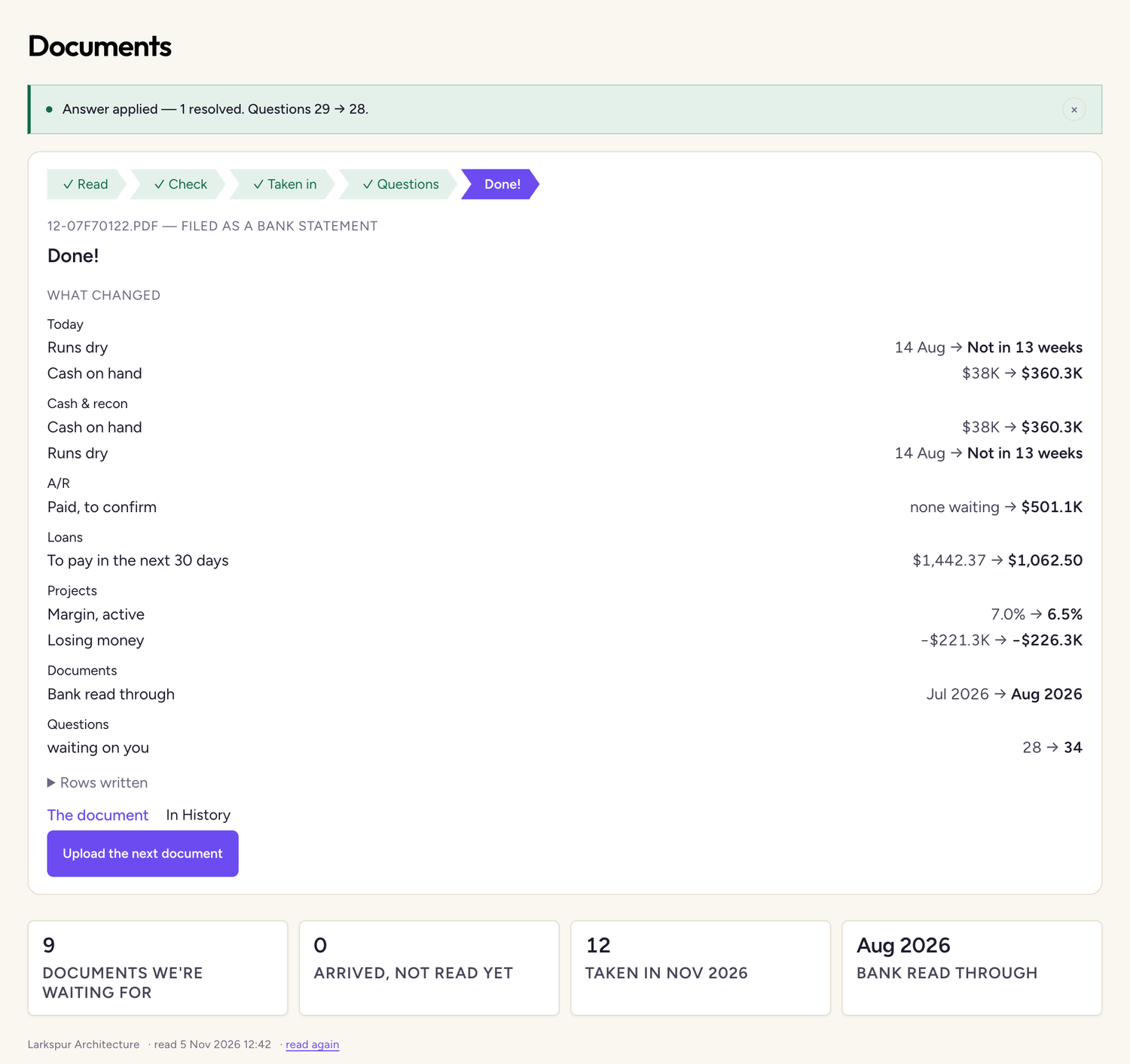
What changed shows the moment of taking in. Your answers can move figures after that, so check each page's tiles for the current number.
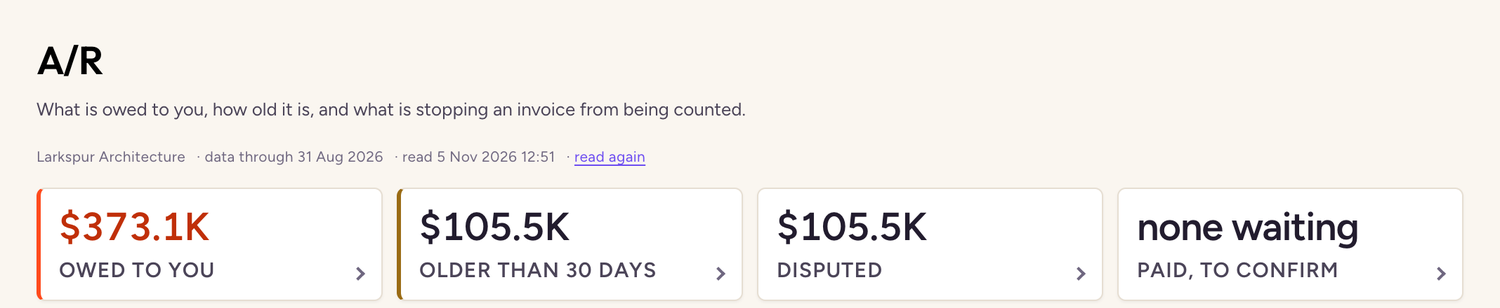
The whole month
| Figure | Before August | After all 15 documents |
|---|---|---|
| Cash on hand | $38,040.91 | $360,307.62 |
| Runs dry | 14 Aug | Not in 13 weeks |
| Owed to you | $606,603.40 | $373,110.00 |
| You owe | $12,881.20 | $17,932.80 |